Every tool your elevator company needs

13 integrated modules. No bolt-ons. No third-party platforms. Every screen designed for the elevator industry from day one.
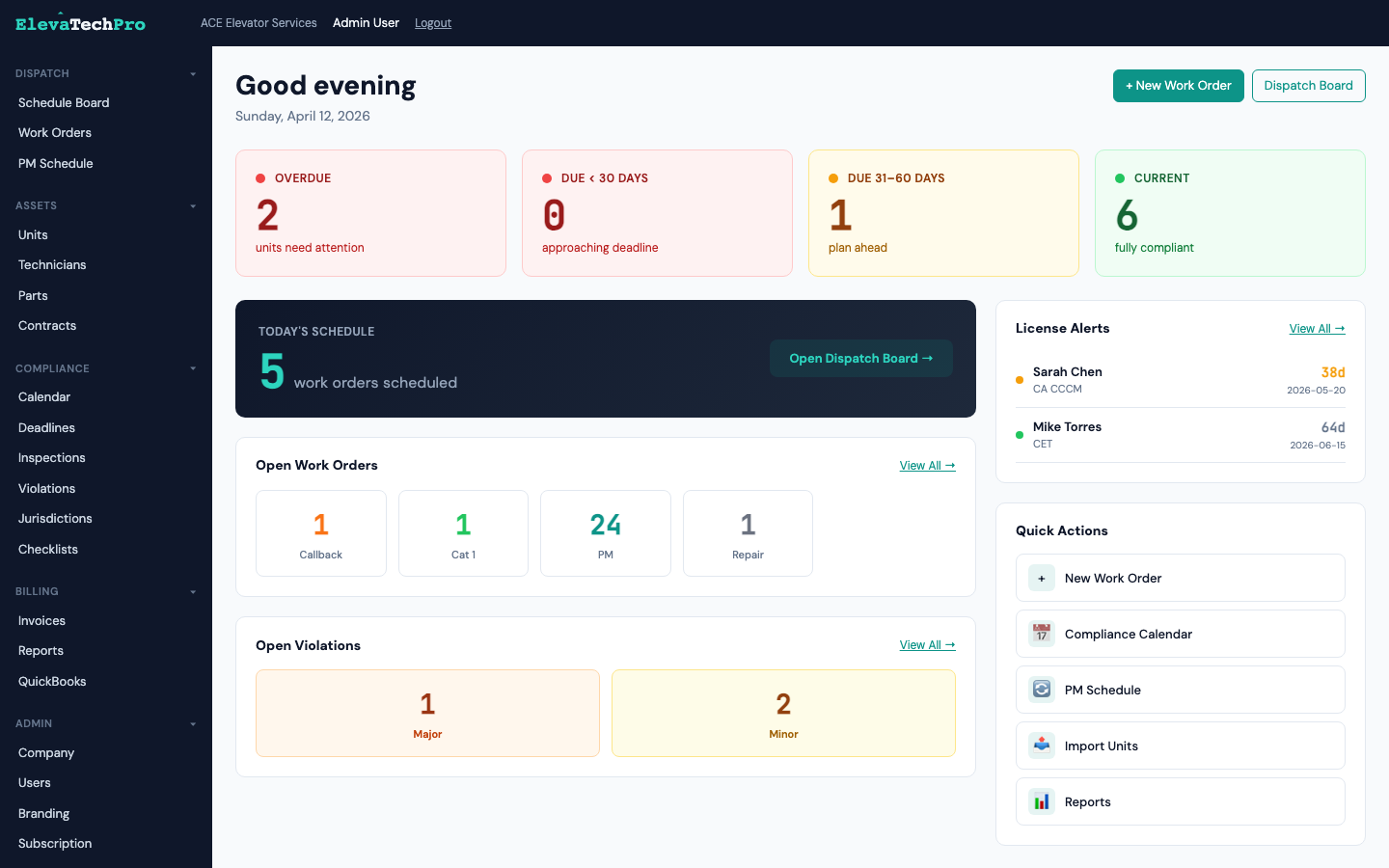
app.elevatechpro.com/dashboard
ElevaTechPro Dashboard

Run your daily operations from one screen

Dispatch, work orders, and preventive maintenance — all connected, all real-time.

Drag-and-drop scheduling built for elevator dispatch

Technicians as rows, 30-minute time slots, color-coded by work order type. See your entire day at a glance and make changes instantly.
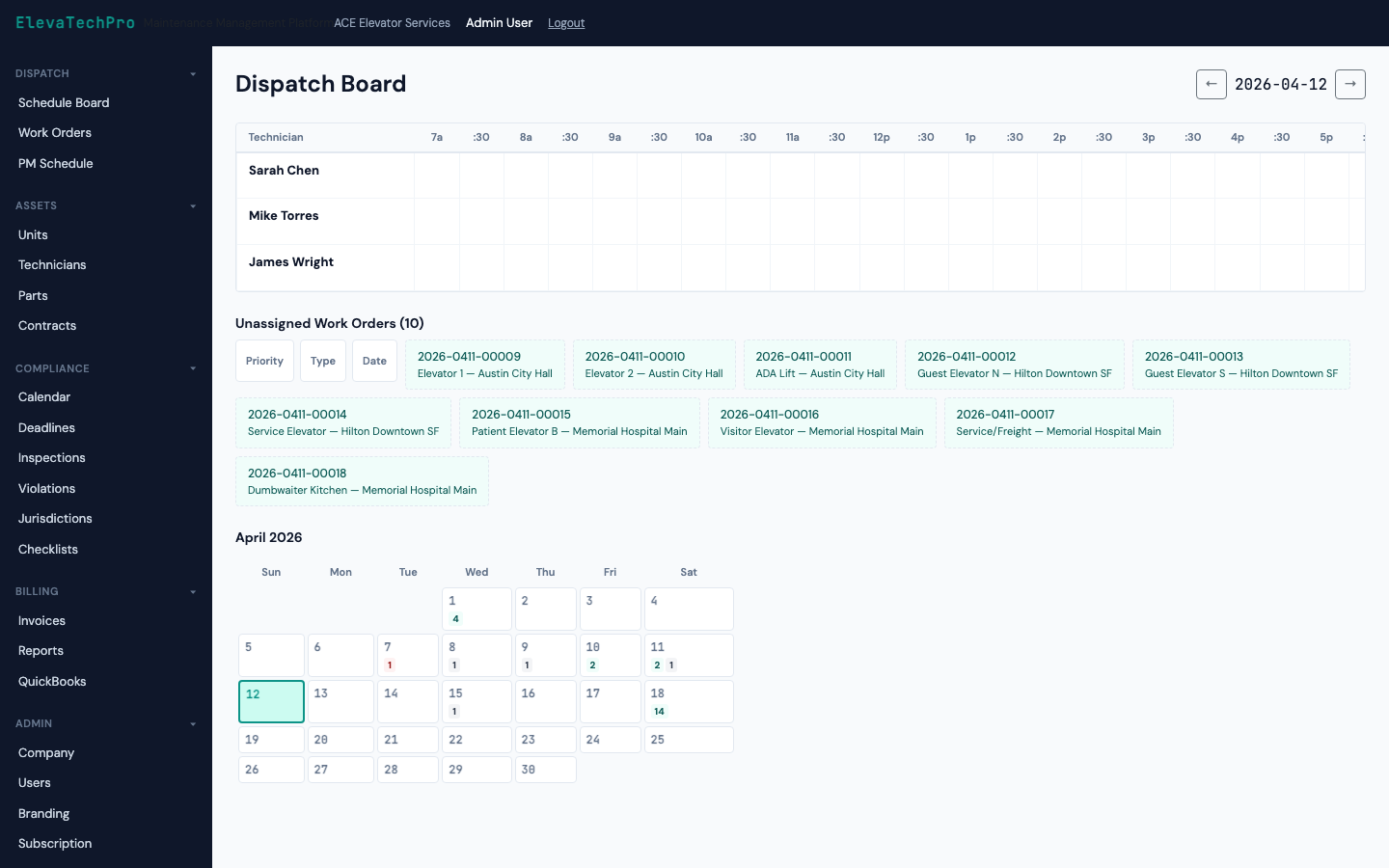
  • Drag-and-drop assignment across technicians and time slots
  • SLA countdown timers with visual urgency indicators
  • Emergency entrapment dispatch with one-click escalation
  • Monthly calendar view for PM scheduling overview
  • Right-click context menu: reassign, reprioritize, mark complete
See Dispatch Board
Dispatch Board

Every work order type, perfectly structured

Service calls, PM visits, inspections, entrapments — each with the right fields, checklists, and billing triggers built in.
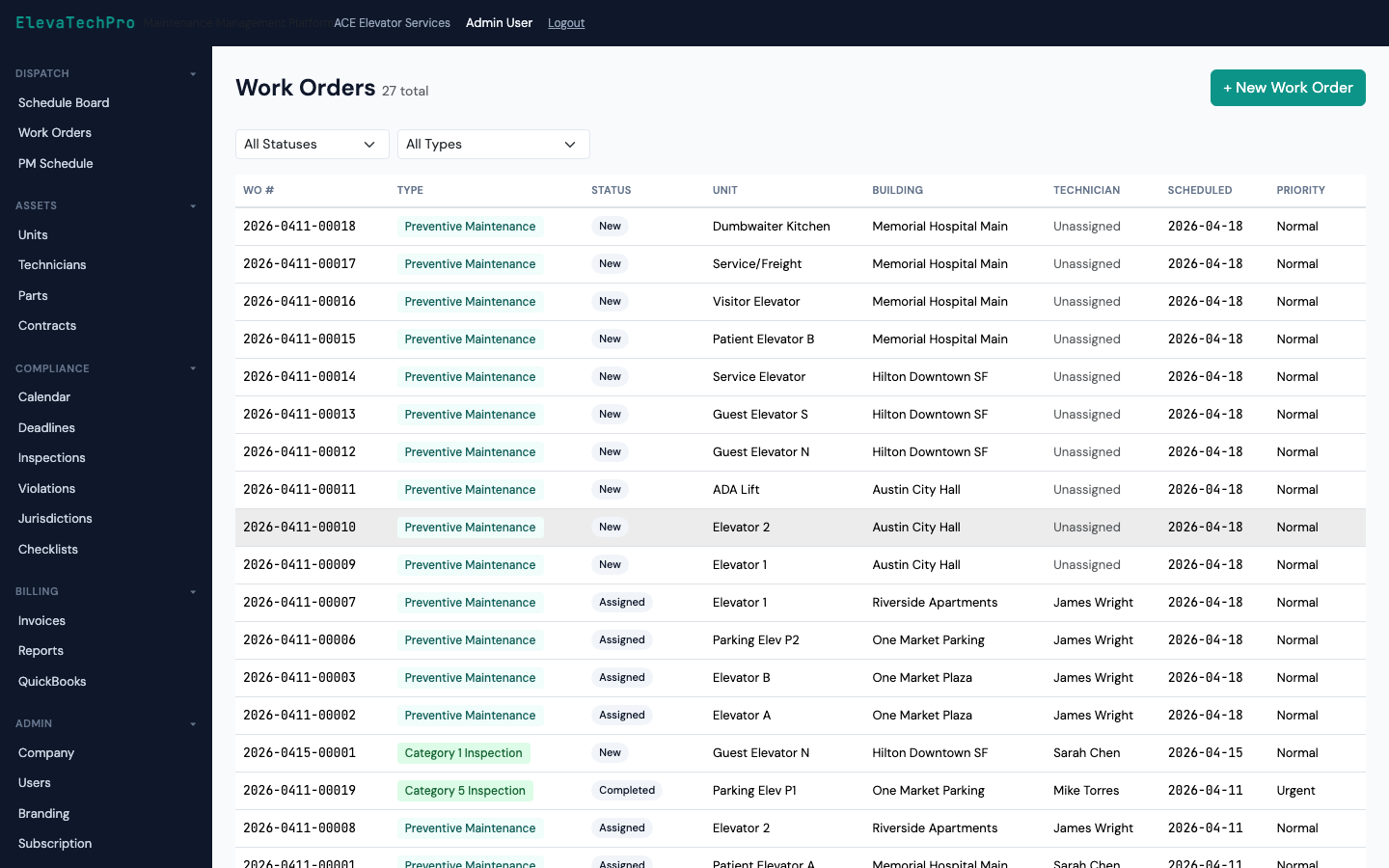
  • Auto-generate PM work orders from contract schedules
  • Time and materials capture with technician clock-in/out
  • Parts used linked to inventory and billing
  • Customer signature captured on mobile at job completion
  • One-click invoice generation when work order closes
Work Orders

Preventive maintenance on autopilot

Define PM frequencies by unit type and contract. Work orders generate automatically. Never miss a scheduled visit again.
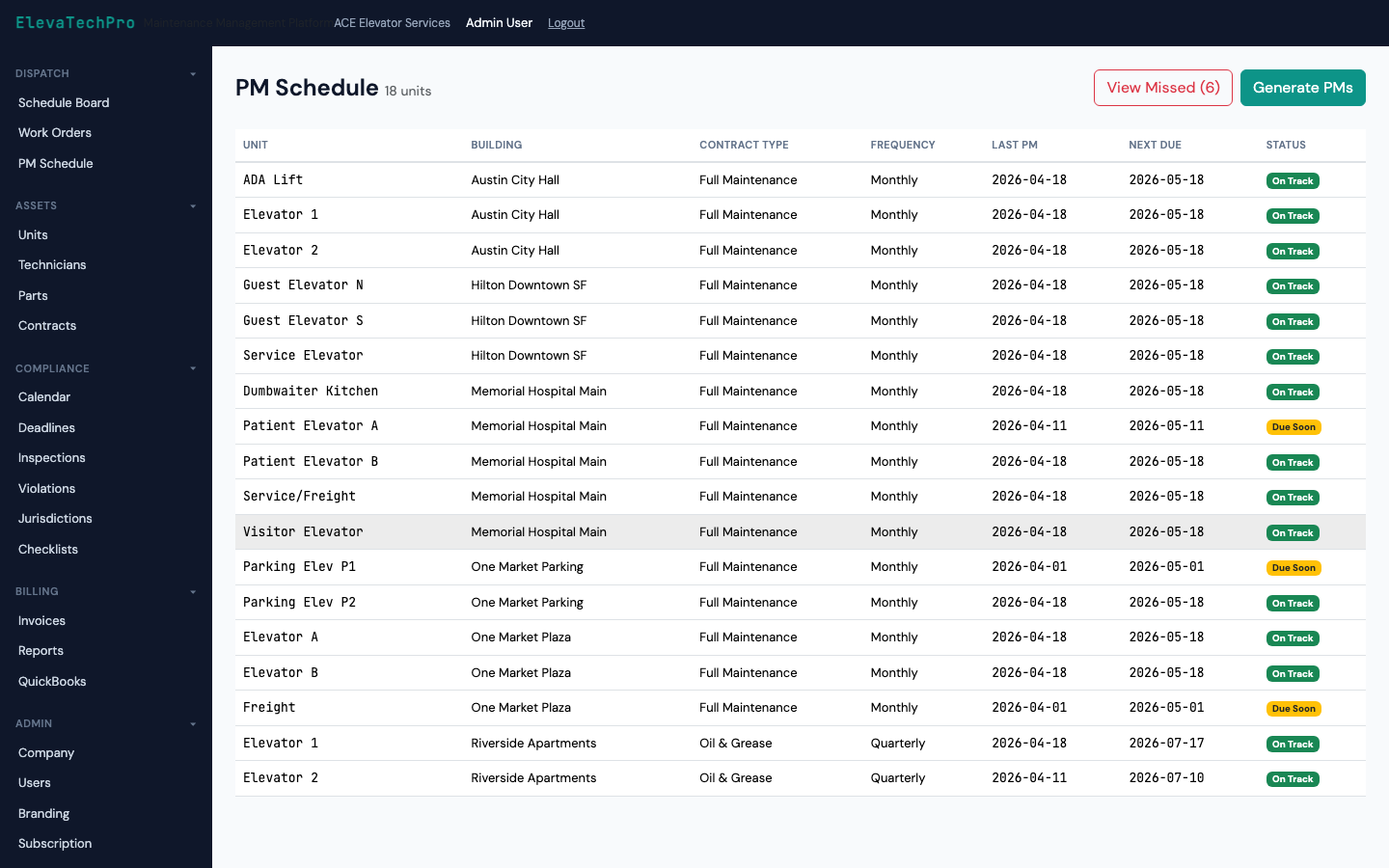
  • Monthly, quarterly, semi-annual, and annual PM cadences
  • Auto-assign to preferred technician per building
  • PM completion tracked against contract obligations
  • Overdue PM alerts before they become compliance issues
PM Schedule

Jurisdiction-aware compliance, automatically

The only platform that knows the rules for every AHJ in all 48 states — and enforces them per unit.

Every deadline, every unit, color-coded by urgency

Cat 1, Cat 5, annual inspections, certificate renewals — all auto-calculated from your jurisdiction settings and displayed in one calendar.
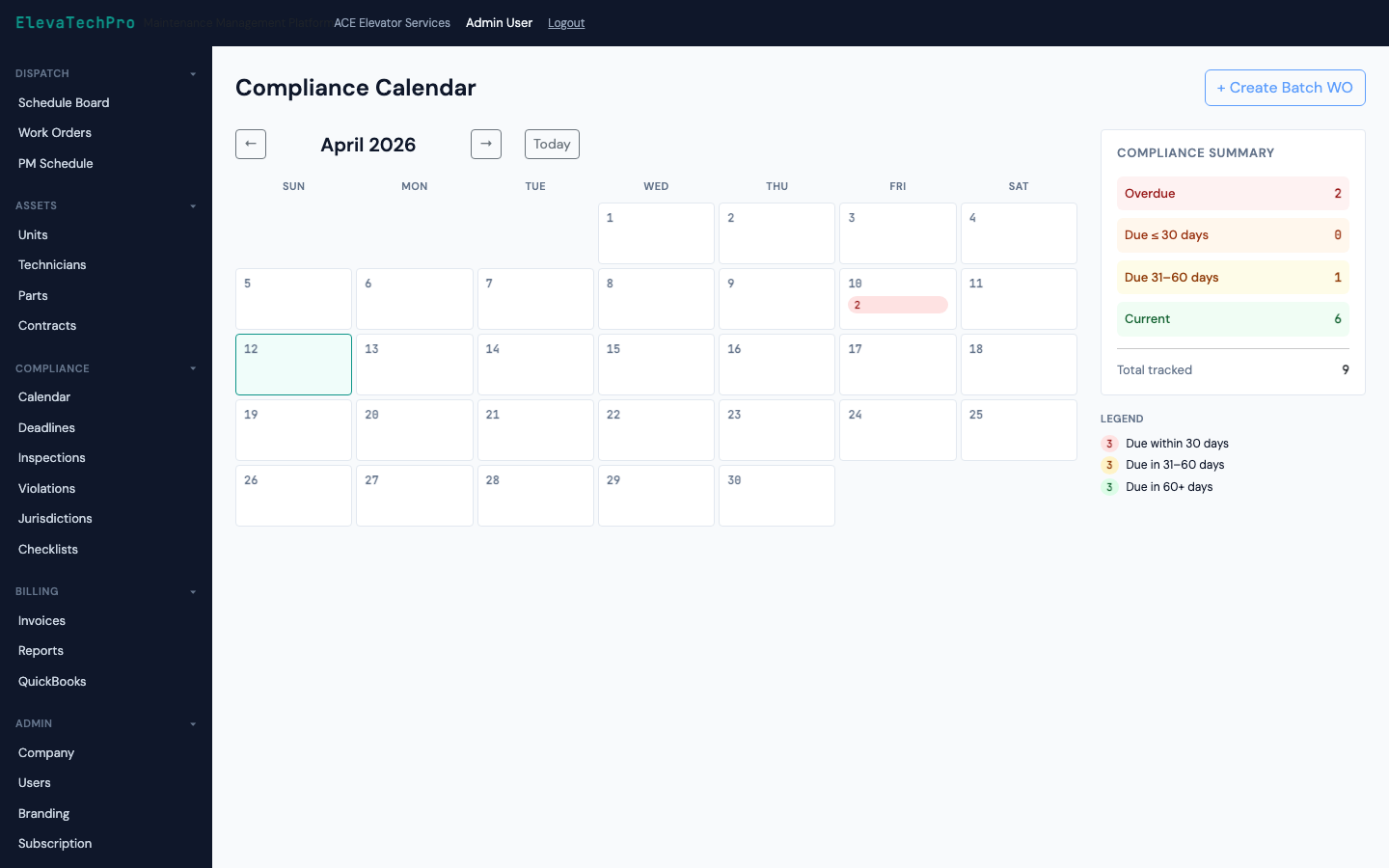
  • Green / Amber / Red / Black urgency color coding with icons
  • Batch-create inspection work orders from calendar view
  • AHJ filing deadline tracking with advance warning
  • QEI witness scheduling integrated with dispatch
See Compliance Engine
Compliance Calendar

ASME A17.1 checklists pre-loaded for every unit type

167+ checklist items covering all 8 unit types. Fail any item and a violation is created automatically with correct severity.
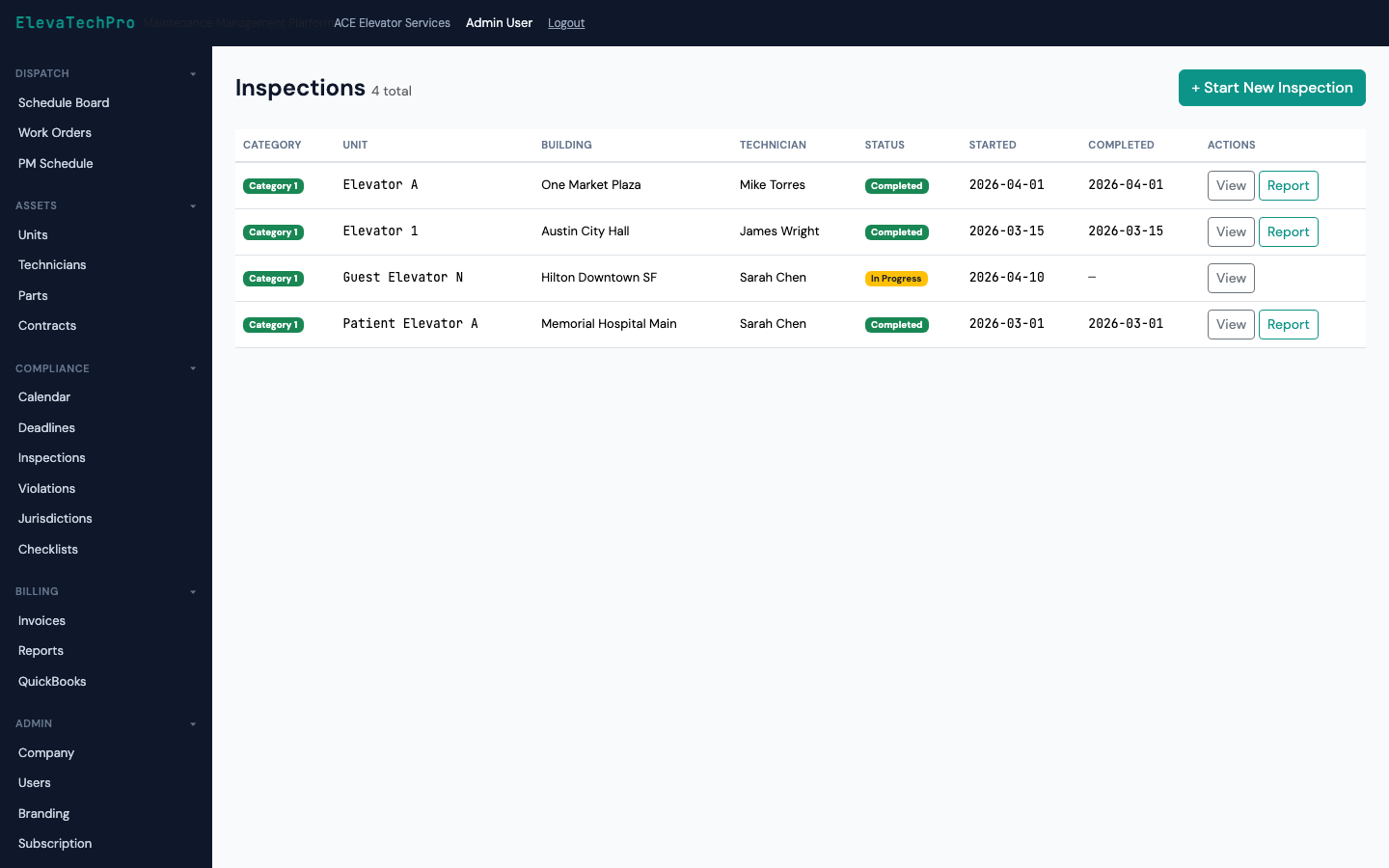
  • Cat 1 and Cat 5 templates for traction, hydraulic, escalator, LULA, dumbwaiter, and wheelchair lift
  • Photo capture per checklist item, stored in the work order
  • Digital signatures for technician and QEI witness
  • PDF compliance report generated instantly on completion
Inspections

Track violations from discovery to resolution

Failed inspection items become violations automatically. Track status, assign corrective work orders, and document resolution for the AHJ.
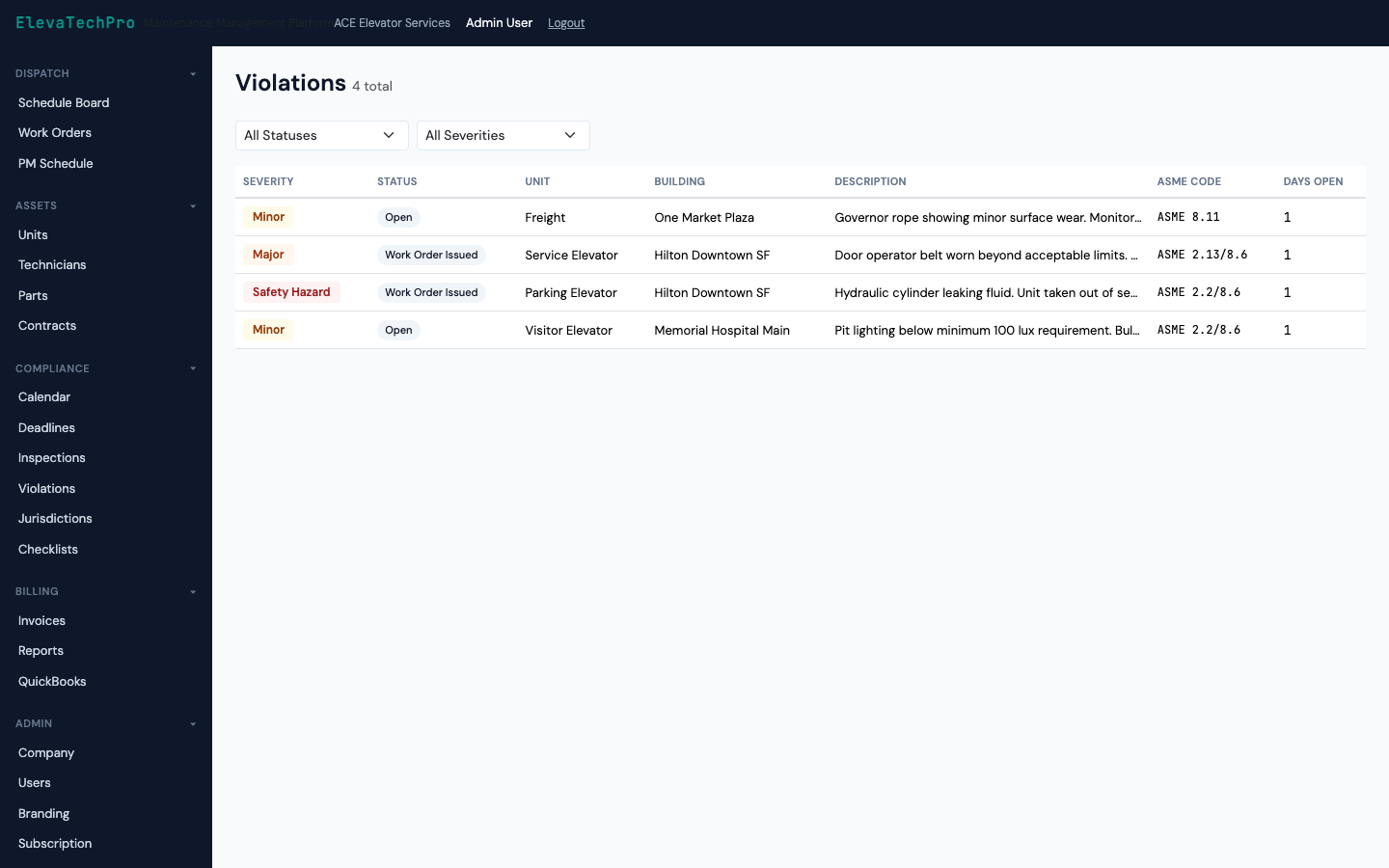
  • Severity classification: Minor, Major, Immediate Hazard
  • Auto-link corrective work orders to violations
  • Resolution documentation and AHJ submission tracking
  • Building manager notified via customer portal automatically
Violations

Know every unit, every technician, every part

Complete equipment records for every unit you maintain

Unit ID, serial number, make, model, installation date, jurisdiction, unit type, last inspection, next due — all in one place.
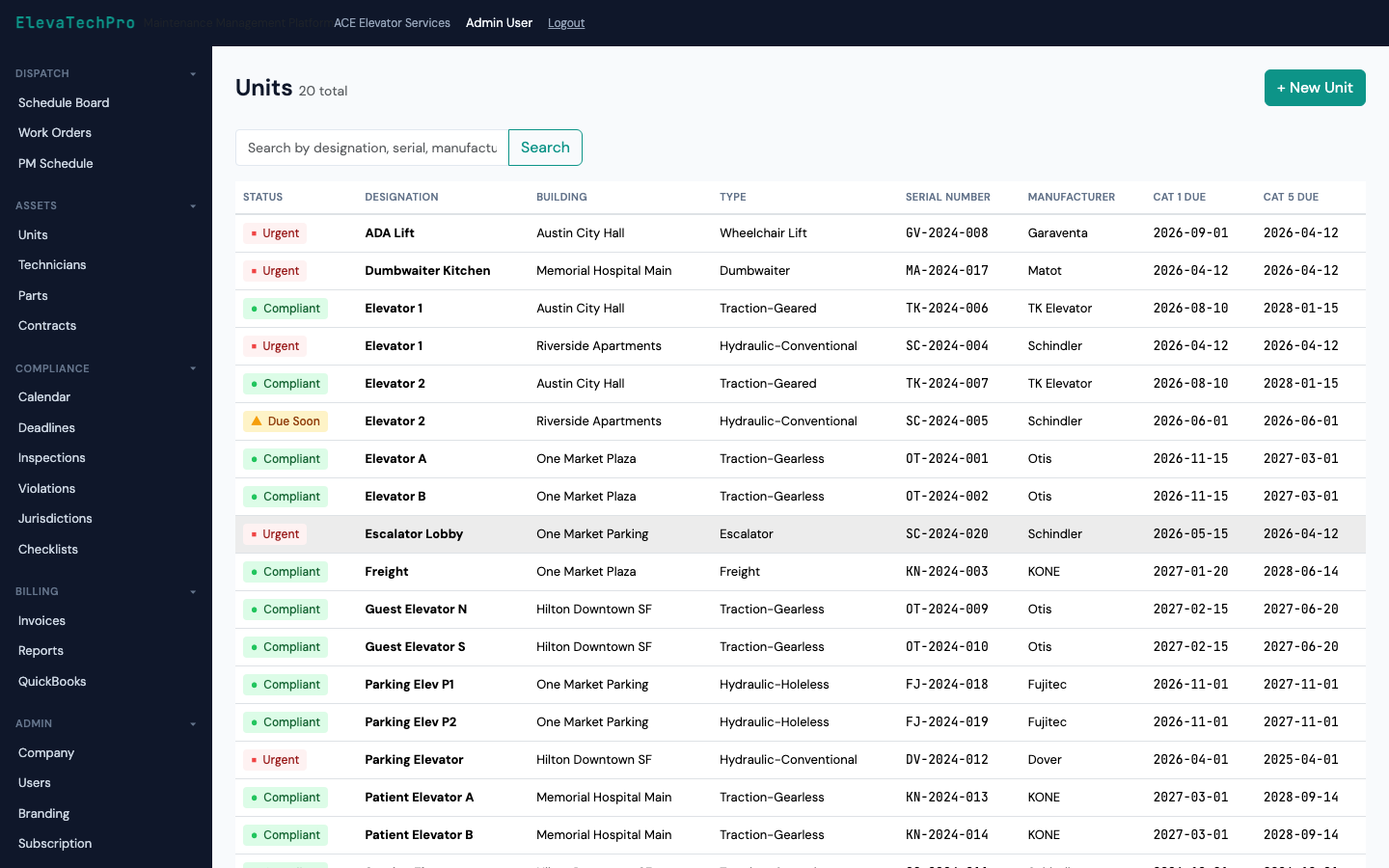
  • 8 unit types: traction, hydraulic, escalator, moving walk, LULA, dumbwaiter, wheelchair lift, material lift
  • Full service history with every work order and inspection
  • Compliance status badge visible at a glance
  • CSV import from legacy platforms or spreadsheet
Units

Manage your field team and their certifications

Technician profiles, certifications, licenses, and availability — all tied to dispatch and work order assignment.
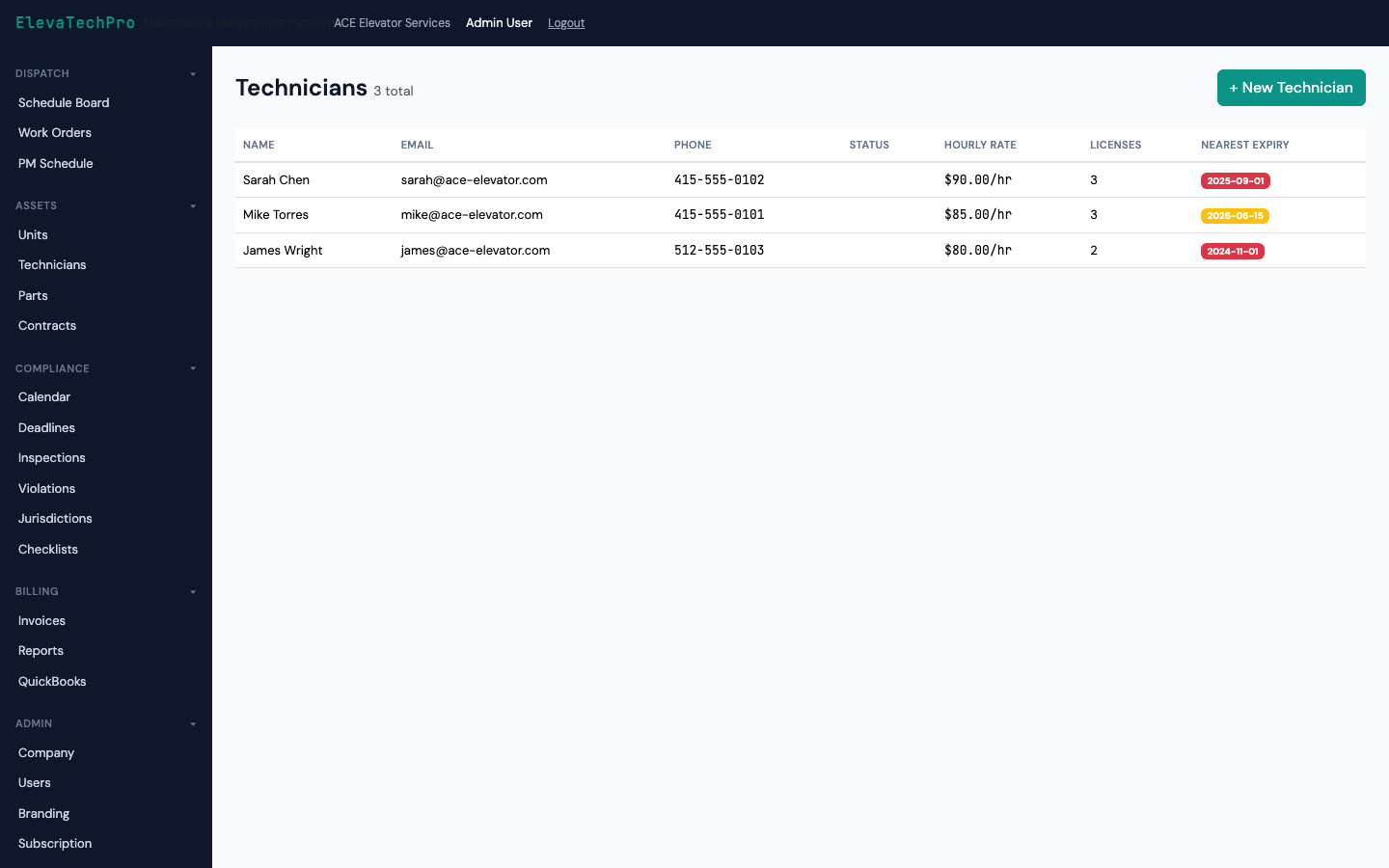
  • License and certification tracking with expiry alerts
  • Preferred technician assignment per building
  • Productivity metrics: jobs completed, callbacks, average time
  • Mobile app access with role-based permissions
Technicians

Parts inventory linked to work orders and billing

Track parts on hand, set reorder points, and automatically add used parts to work order billing.
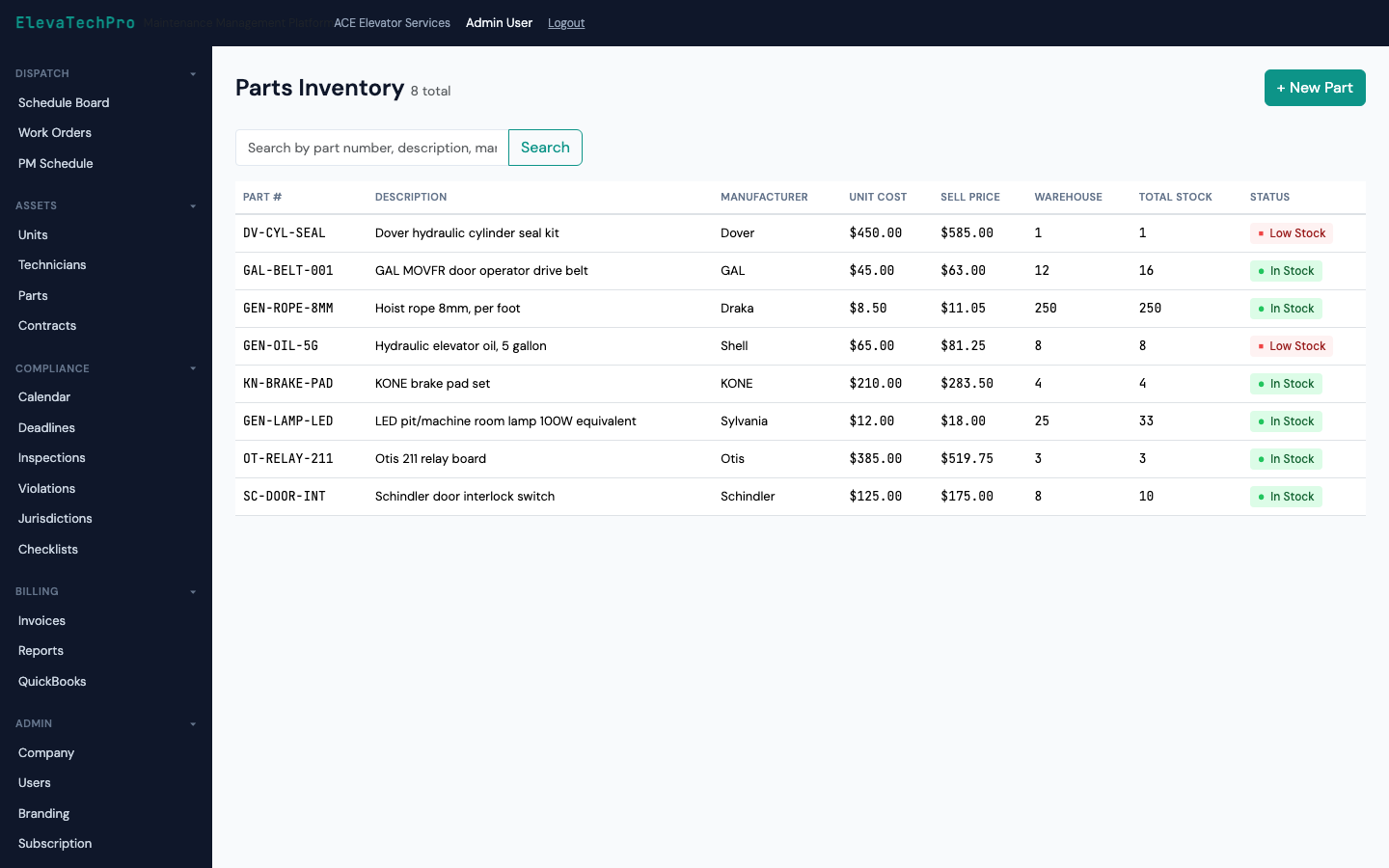
  • Parts catalog with cost and sell price
  • Reorder alerts when stock falls below minimum
  • Parts used auto-added to T&M invoices
  • Vendor tracking and purchase order history
Parts

Billing, contracts, and reports — all connected

Invoice automatically from work orders and contracts

Auto-generate contract invoices on schedule. Build T&M invoices from technician time and parts. Accept payment online via Stripe.
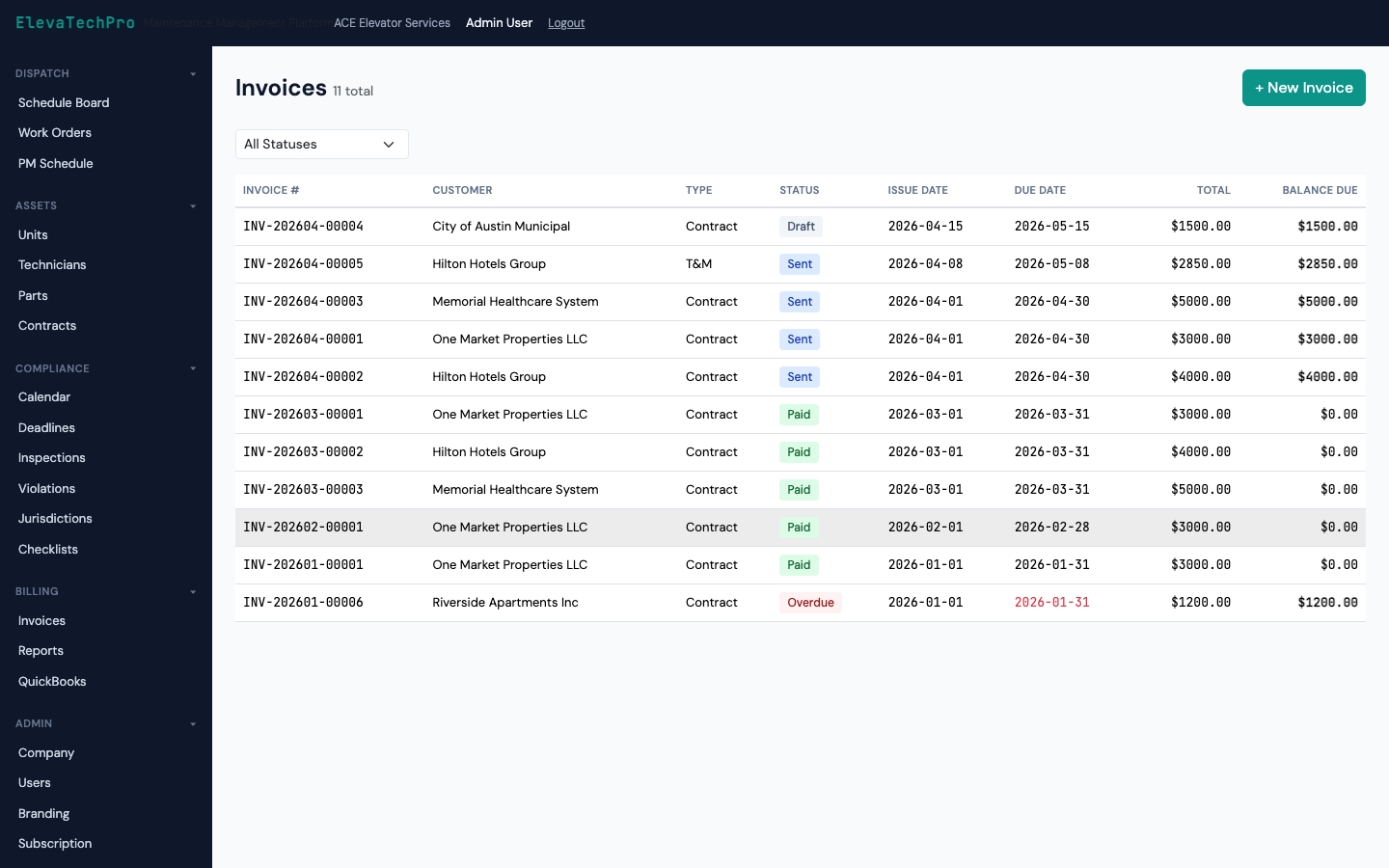
  • Contract billing: monthly, quarterly, or annual invoice generation
  • T&M billing assembled from work order labor and parts
  • Stripe payment links sent to building managers automatically
  • QuickBooks sync for your accounting team
  • AR aging report to track overdue accounts
Billing

Manage every maintenance agreement in one place

Full-service, inspection-only, oil and grease — define contract types, rates, and obligations. Renewals tracked automatically.
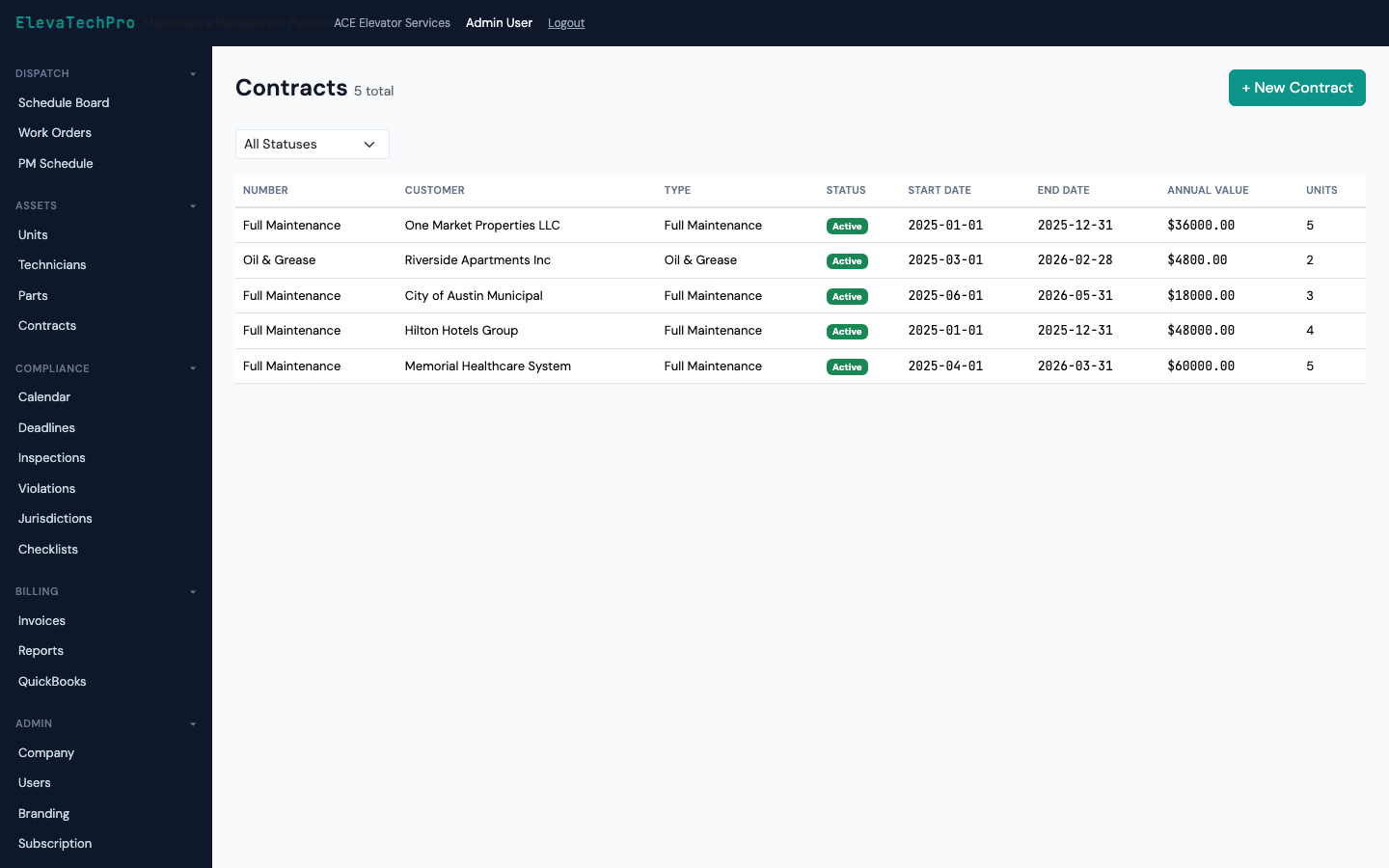
  • Contract types: full-service, T&M, inspection-only, modernization
  • Billing rates, escalation clauses, and renewal dates
  • Contract obligations tied to PM and inspection scheduling
  • Renewal alert 90/60/30 days before expiry
Contracts

10 built-in reports, no custom development needed

Compliance status, callback rate, revenue summary, AR aging, technician productivity, MCP maintenance log — ready on day one.
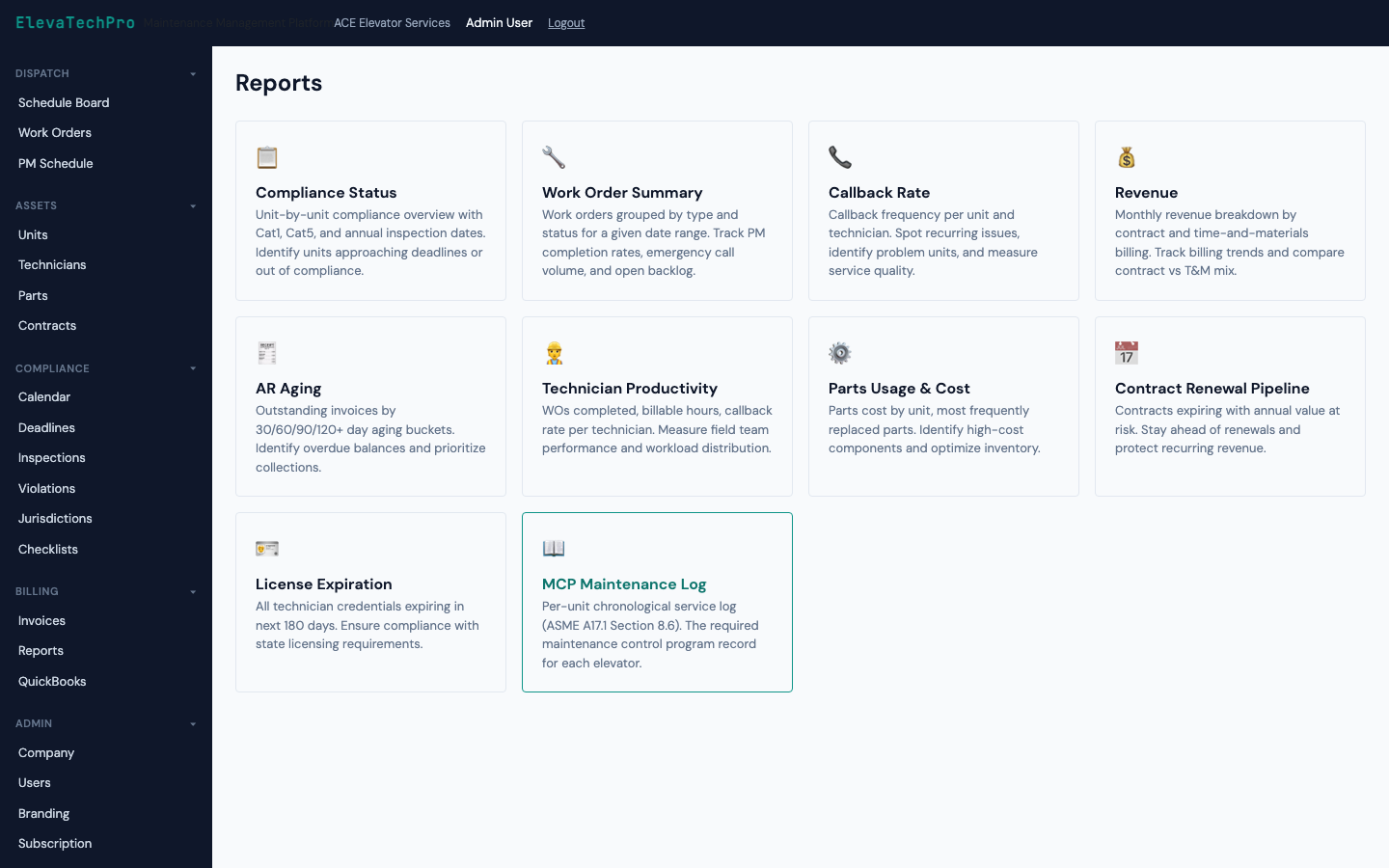
  • Compliance status report: pass/fail by building and unit
  • Callback rate analysis to identify recurring issues
  • Revenue and gross margin by contract type
  • Technician productivity: jobs, hours, and callbacks per tech
  • MCP maintenance log formatted for AHJ submission
  • Export to PDF or CSV with one click
Reports

Configure everything your company needs

Every configuration option, organized clearly

Jurisdiction rules, billing rates, user roles, notification preferences, integrations — all configurable without a support ticket.
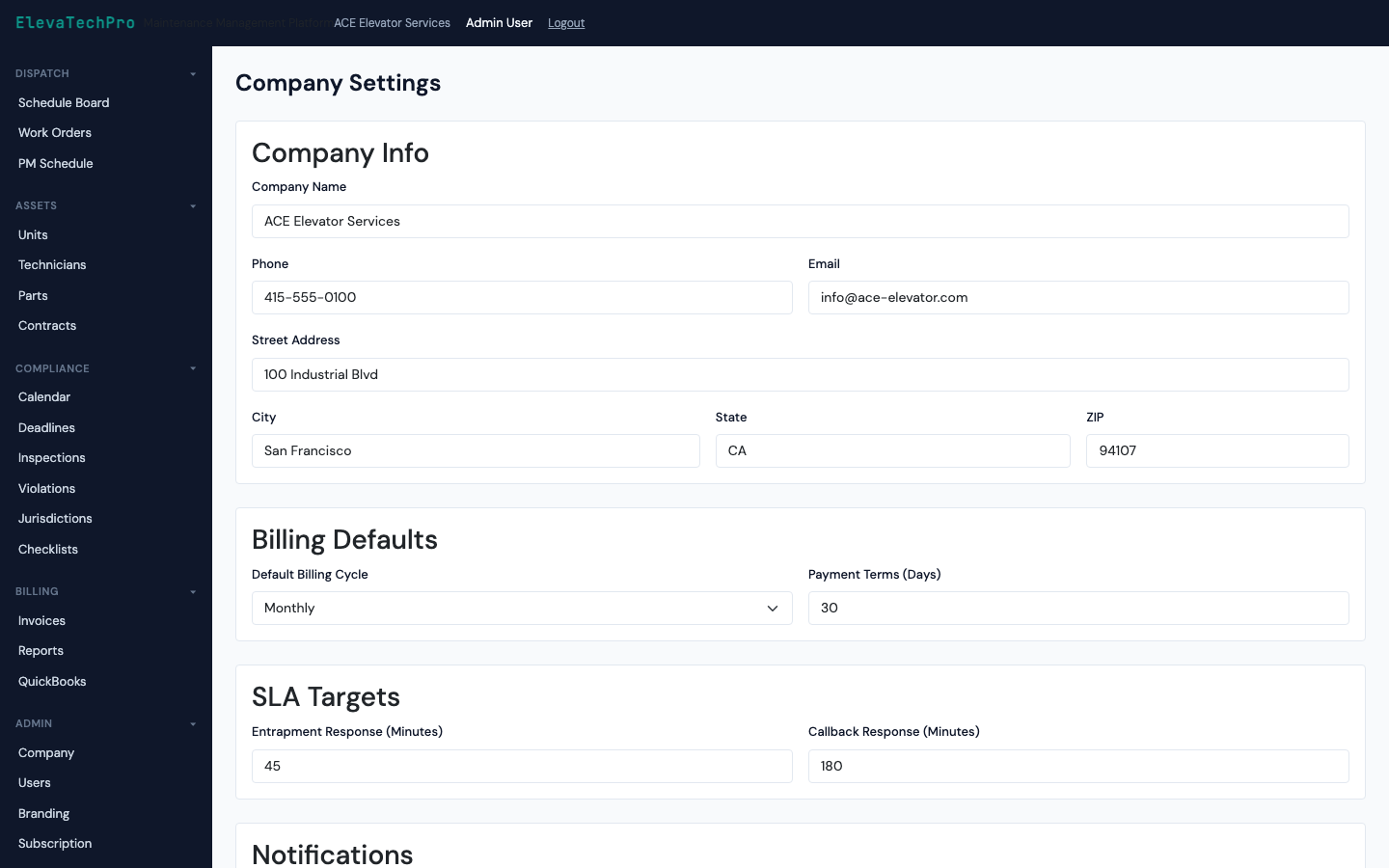
  • Jurisdiction compliance rules per state and AHJ
  • User roles: admin, dispatcher, technician, billing, read-only
  • Notification preferences: email, SMS, in-app per event type
  • QuickBooks and Stripe integration configuration
Settings

Multi-tenant administration for enterprise operators

Manage multiple companies, configure white-label options, and monitor platform health — all from a single admin interface.
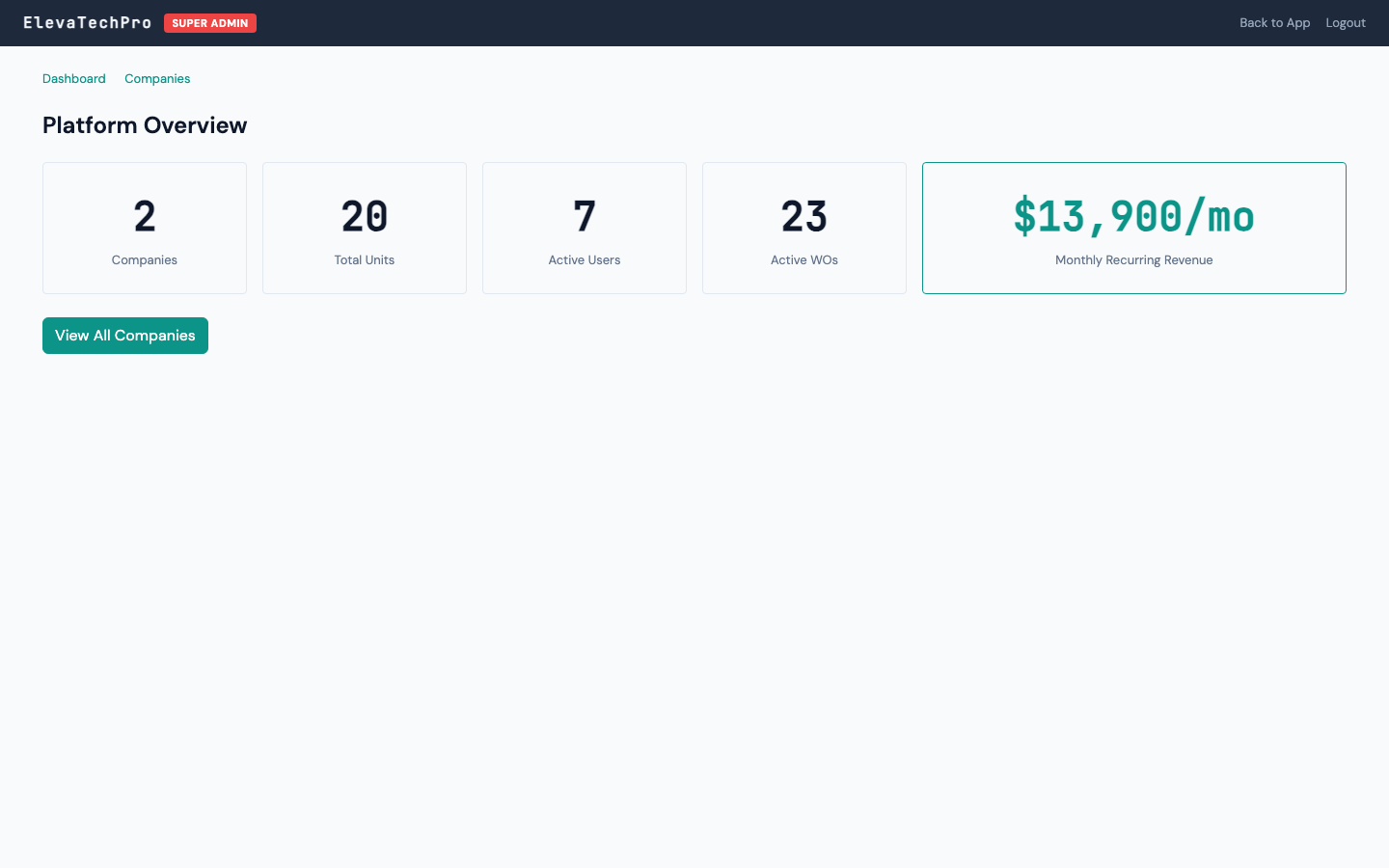
  • Multi-tenant company management with full data isolation
  • Usage metrics per company: units, work orders, users
  • Feature flag management for phased rollouts
  • Platform health monitoring and audit logs
Super Admin

Ready to see all 13 modules in action?

Get a personalized demo with your own scenarios and data.