Built for a phone screen in an elevator pit

Large tap targets, dark mode for low-light machine rooms, and full offline support for underground pits. Designed around how elevator technicians actually work — not how software designers imagine they work.

☾ Dark mode for elevator pits
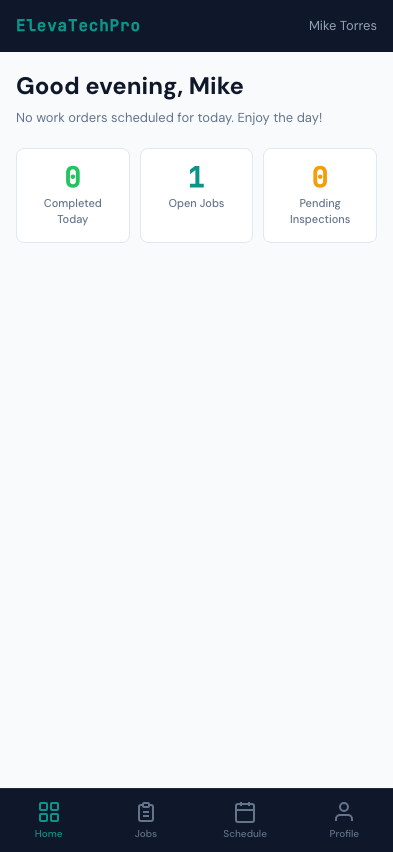
Technician Mobile App
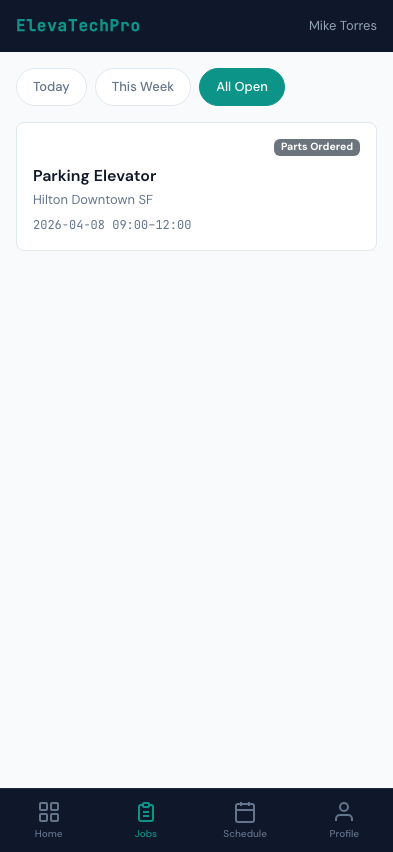
Mobile Work Orders

Every job detail in your pocket

Technicians see their assigned work orders, building address, unit details, service history, and special instructions — all on their phone, all offline if needed.

  • One-tap status updates: En Route, On Site, In Progress, Complete
  • Built-in timer starts automatically on arrival
  • Parts used recorded with quantity for auto-billing
  • Notes field for tech-to-office communication
  • Customer signature captured at job completion
  • Previous service history for the unit always accessible

Designed for machine rooms and elevator pits

Bright white screens in dark spaces cause eye strain and make it hard to see the screen. ElevaTechPro's mobile app uses dark mode automatically when ambient light is low — or the tech can set it manually.

Auto Dark Mode

Follows system settings. When the tech puts their phone in their pocket going underground and pulls it out in the pit, the app adapts without any setting changes.

👀

High Contrast Text

Checklist items, unit IDs, and status indicators use high-contrast typography that reads clearly even when a phone is held at arm's length in poor lighting.

📷

Large Tap Targets

Every button, every checklist item, every input is sized for gloved hands and awkward angles. No precision tapping required when you're in a pit.

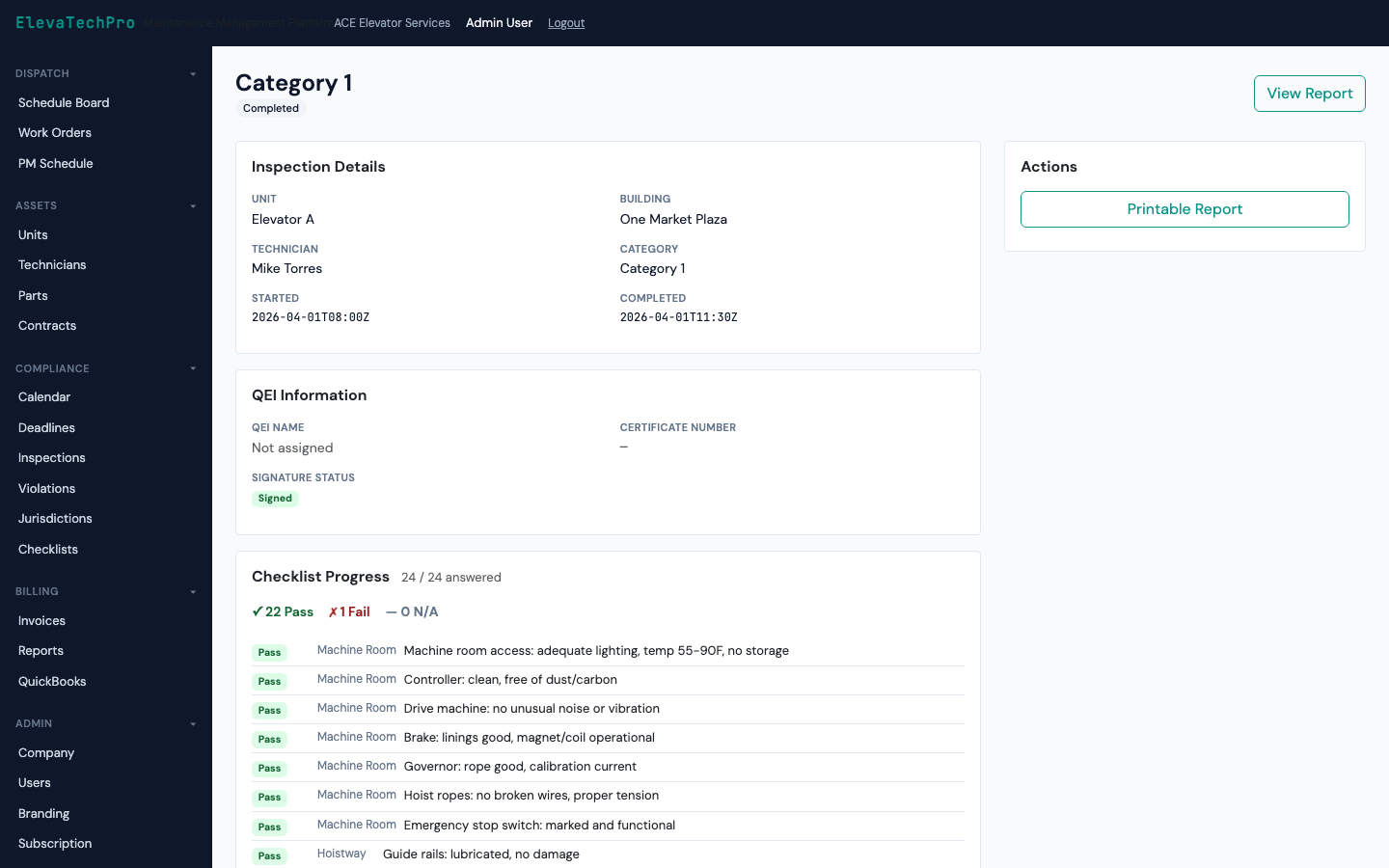
Full ASME checklists on the phone, offline

The complete Cat 1 or Cat 5 checklist for any unit type — available offline. Mark pass/fail, add photos, add notes, get signatures. PDF generated on sync.

  • 167+ ASME A17.1 checklist items pre-loaded
  • Works in airplane mode — full offline support
  • Camera integration for per-item photo capture
  • Technician and QEI signature fields
  • Auto-save every tap — never lose progress
Full Offline Inspection Details
Mobile Inspection Checklist

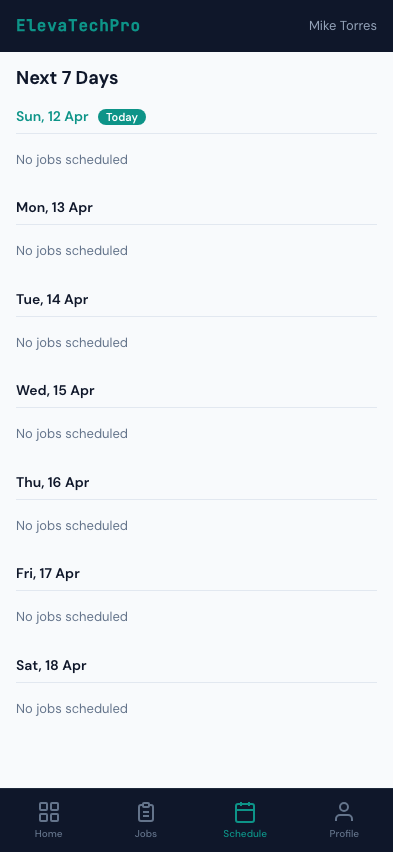
The tech's day laid out clearly

Technicians see their assigned jobs in order, with times, addresses, and job types. Reordering by the dispatcher shows up instantly on their screen.

  • Day view with jobs in chronological order
  • Building address with one-tap navigation to Maps
  • Job type badge: PM, Service, Inspection, Entrapment
  • Push notification on new assignment or reassignment
  • ETA tracking visible to dispatcher in real time
Mobile Schedule

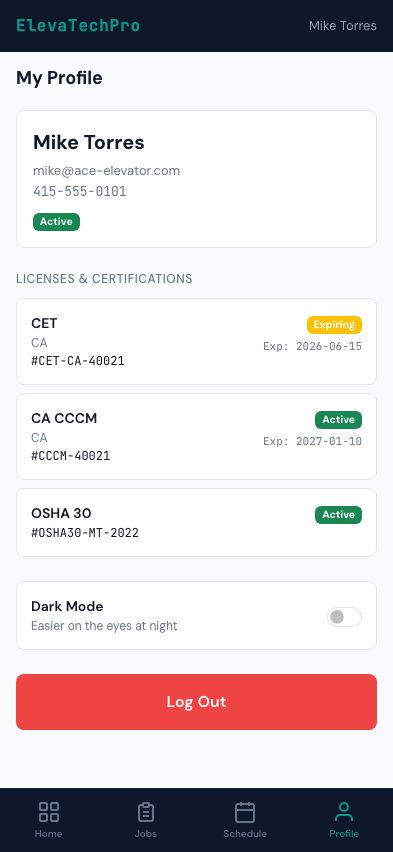
Certifications and availability managed in-app

Technicians view their own certifications, license expiry dates, and work history. Availability and on-call status updated with one tap.

  • License and certification expiry dates with advance warning
  • On-call availability toggle for after-hours dispatch
  • Personal work history and completed job count
  • Notification preferences: push, SMS, or both
Mobile Profile

PWA today. Native iOS app on the roadmap.

ElevaTechPro's mobile app is a Progressive Web App (PWA) — installable on iPhone and Android home screens today, works offline, behaves like a native app, no App Store download required.

The codebase is built with Capacitor, which means wrapping it as a native iOS and Android app in the App Store is straightforward when demand warrants it. Our customers get the full native experience today without waiting for an App Store approval cycle.

Today: PWA

  • ✓ Install on iPhone home screen
  • ✓ Full offline support
  • ✓ Push notifications
  • ✓ Camera & GPS access
  • ✓ No App Store download

Roadmap: Native iOS & Android

  • ✓ App Store distribution
  • ✓ Background sync
  • ✓ Face ID / biometric login
  • ✓ Enhanced camera features
  • ✓ Capacitor-based — same codebase

Put the right tool in your technicians' hands

A mobile app that actually works where they work.